
greycard
A professional raw photo editor with accurate color, for Linux, macOS and Windows. Fast, and open source.
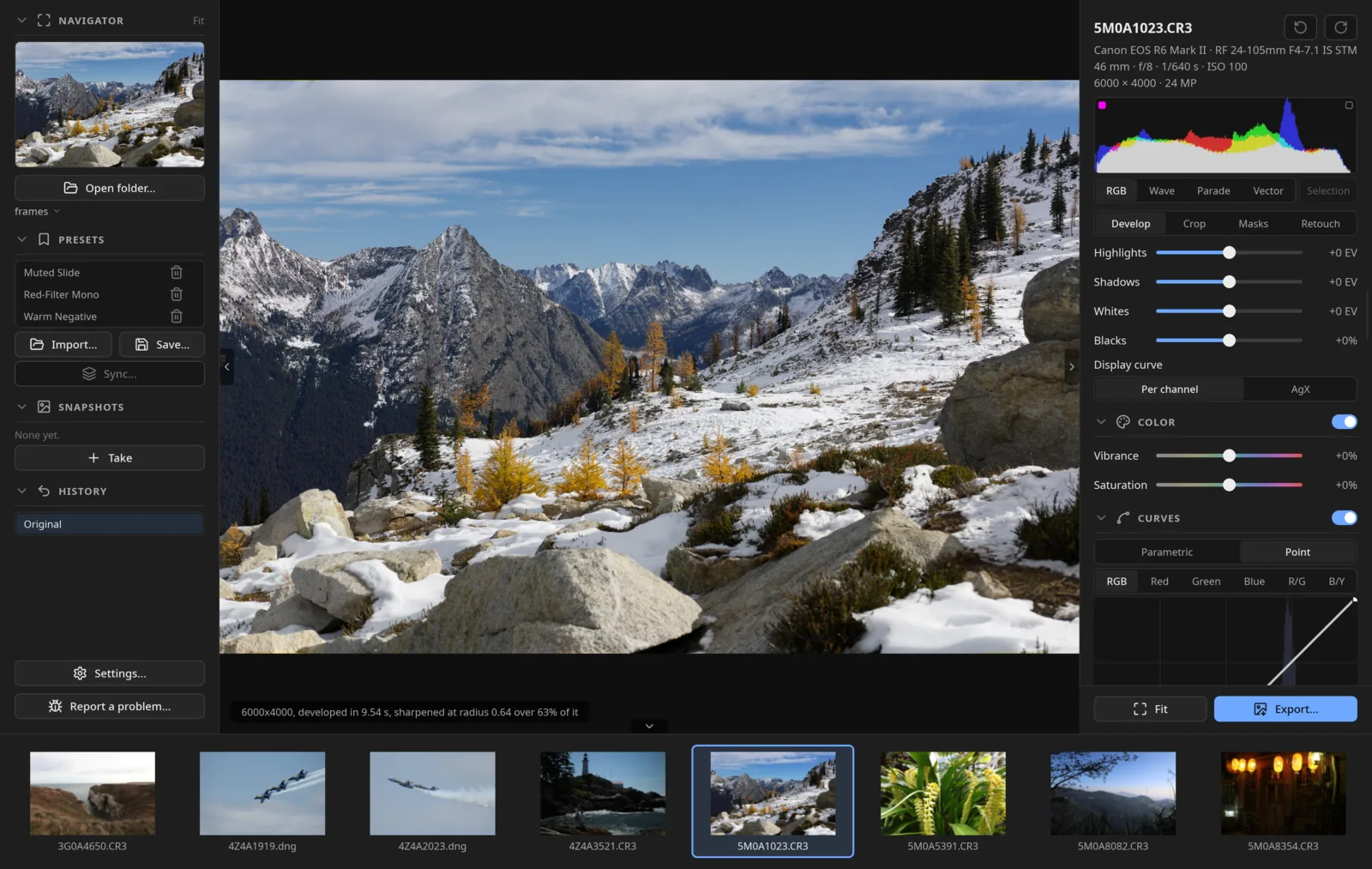
I took my favorite parts of every editor I know and built the one I wanted to use. I'm a software engineer and a photographer, and greycard is already the editor I use for my own work. It's still early, and there's a lot more on the roadmap. I'm not going to stop until it's a complete, battle-tested editor.
Download · User guide · greycard.org
Highlights
- Camera color match. Give it a varied set of frames from your camera and it learns the camera's own JPEG look, such as Canon Standard or Fujifilm Provia, as a look you can pick. How well it fits.
- Masks that do more. Absolute white balance on a mask makes mixed light easy, and the color mixer works inside a mask.
- Scopes for the mask: parade, waveform and vectorscope, which you can limit to the masked area to get skin tones right.
- AI denoising on the raw sensor data. I trained the model myself, and it works a treat on Canon, Fujifilm GFX, Nikon, Sony and Panasonic.
- Your folders are the truth. Edits live in a sidecar beside each raw. The library index makes finding and filtering fast without owning your photos.
- Works across machines. Cull a shoot on a NAS from local previews, and keep an archive drive in step with your edits.
- Local AI masks for subjects, objects, skies and people, down to eyes, lips, hair and clothing. All on your machine.
- Quick culling from the camera's embedded previews, so getting through a shoot is smooth.
- Fast and familiar. Native Rust, Slint and the GPU, so sliders update as you drag. The layout will feel at home if you're coming from Lightroom Classic, and Lightroom presets load.
- The best open source algorithms. greycard is GPL, so parts of the pipeline come straight from darktable and RawTherapee, credited in each file.
Cameras
It opens what rawler decodes (camera list), and I test on Canon, Fujifilm GFX and X-Trans, Nikon, Sony and Panasonic raws.
Not there yet
- The learned denoiser doesn't run on Fujifilm X-Trans raws yet.
- Nikon High Efficiency raws only open in a build from source with the
nikon-hefeature. The format is licensed, and shipping its decoder means royalties. I'm working on it. - The Mac and Windows builds aren't signed yet, so you have to click past a warning the first time.
- No build yet for Intel Macs or Windows on ARM.
Install
Download your system's file from the releases page and unpack it.
- Linux:
sh install.sh - macOS:
sh install.sh(Apple silicon, macOS 13.4 or newer). Step by step. - Windows: double-click
install.cmd.register.cmdadds greycard to Open with for raws.
You'll need a GPU with Vulkan, or Metal on a Mac.
Building from source is a cargo build --release
once the libraries are in.
Feedback
Bugs, feature requests, things you love or hate: please tell me. Use Report a problem... at the bottom of the left panel, or open an issue. A raw that renders wrong, with the camera model, is the most useful thing you can send.
More
- User guide
- Where greycard fits next to Lightroom, Capture One, darktable, RawTherapee and others
- Changelog
- Design notes
GPL-3.0-or-later.